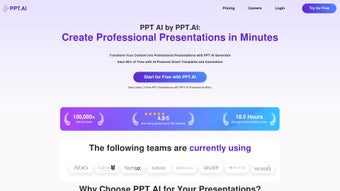

Download PPT AI – AI-Powered Presentation Tool for Windows, Mac, Android & iOS
Transform your ideas into stunning presentations in minutes with PPT AI – the smart, secure, and free-to-use web application that leverages artificial intelligence to automate slide creation. Whether you're a student preparing a school project, a professional pitching to clients, or an educator delivering lectures, PPT AI streamlines the entire process. Simply upload any document – PDF, Word, Google Docs, or even a plain text file – and watch as the AI analyzes your content, extracts key points, and generates a complete, visually engaging presentation. With over 800 professionally designed templates, intelligent layout optimization, and real-time collaboration, PPT AI redefines how you create presentations. The platform is accessible across all devices, including Windows, Mac, Android, and iOS, making it the ultimate cross-platform tool for modern creators.
Why PPT AI Stands Out: Key Features
PPT AI isn't just another presentation tool – it's a complete creative partner built for efficiency and elegance. One of its standout features is its smart document-to-slide conversion. Instead of manually typing content into each slide, users can upload a document, and the AI instantly identifies core themes, sections, and key data points. It then structures them into a coherent, logical flow of slides with appropriate titles, bullet points, and visual cues. This feature alone saves hours of work, especially for users dealing with lengthy reports, research papers, or business proposals.
Another powerful feature is the automated design optimization. PPT AI doesn’t just generate slides; it enhances them. The AI intelligently arranges text, images, icons, and charts to ensure visual balance and readability.
It adjusts font sizes, spacing, and color schemes based on content type and audience context. For example, a pitch deck gets a bold, modern look, while an academic presentation adopts a clean, minimalist style. This level of customization happens in real time, so you’re not left with a generic template slapped together.
With a library of over 800 templates spanning industries and use cases – from startups and marketing to education and healthcare – PPT AI ensures you’ll always find a design that fits your message. The smart template matching engine analyzes your content and recommends the most suitable layout, saving you from endless scrolling. Plus, all templates are fully editable, so you can tweak colors, fonts, and layouts to match your brand identity. Whether you're presenting to investors or teaching a class, PPT AI ensures your slides look professional and impactful.
Seamless Installation & Usage Across Devices
One of the biggest advantages of PPT AI is its web-based nature – there’s no need to download or install software. You can access it directly through any modern web browser on Windows, Mac, Android, or iOS devices. This makes it incredibly convenient for users who work across multiple platforms. Whether you're on a desktop at your office, a laptop during a commute, or a tablet in a meeting room, PPT AI is always just a click away.
To get started, simply visit the official website and sign up for a free account. The registration process is quick and secure, requiring only an email address and password. Once logged in, you’ll be greeted with a clean, intuitive dashboard that guides you through the creation process. Click “New Presentation,” upload your document, and let the AI do the rest. Within seconds, you’ll have a fully structured slide deck with optimized layouts and smart content placement.
For users who prefer a mobile experience, the PPT AI app is available on both the Google Play Store and Apple App Store. The mobile version supports document uploads, real-time editing, and collaboration, ensuring you’re never stuck without access to your presentation. You can even view and present your slides directly from your smartphone or tablet. All changes sync instantly across devices, so your work is always up to date. Whether you're editing on the go or presenting from a mobile device, PPT AI ensures a smooth, reliable experience.
Compatibility & Real-Time Collaboration
PPT AI is designed to work seamlessly across a wide range of operating systems and devices. It supports Windows 10/11, macOS, Android 8.0+, and iOS 12+, ensuring broad accessibility for both personal and professional users. The platform is optimized for performance, loading quickly even on older devices, and works reliably on both Wi-Fi and cellular connections.
One of the most valuable features for teams is real-time collaboration. Multiple users can work on the same presentation simultaneously, with live updates visible to all participants. This is especially useful for remote teams, project groups, or classroom assignments. Each collaborator’s changes are tracked with version control, so you can revert to earlier drafts if needed. The commenting system allows team members to leave feedback directly on specific slides, streamlining the review process.
Additionally, PPT AI supports export options including PowerPoint (.pptx), PDF, and image formats, making it easy to share your work with others. You can also generate a shareable link for presentations, perfect for quick client reviews or classroom sharing. With cloud storage integration, your projects are automatically saved, so you never lose your work. Whether you're presenting in person or remotely, PPT AI ensures your content is always accessible and professional.
Pros and Cons: What Users Should Know
- Pros:
- AI-powered document-to-slide conversion saves hours of manual work
- Over 800 professionally designed, customizable templates
- Automated design optimization for clarity and visual appeal
- Real-time collaboration with version control and commenting
- Available on Windows, Mac, Android, and iOS – fully cross-platform
- Free to use with no watermarks or limitations on basic features
- Cons:
- Advanced features like custom branding and team plans require a paid subscription
- Heavy reliance on internet connection for full functionality
- AI may occasionally misinterpret complex or poorly structured documents
- Template customization options are limited compared to full design tools
- Mobile app lacks some advanced editing tools found in the web version
Final Verdict: Is PPT AI Worth It?
After extensive testing across different use cases – from student presentations to executive pitches – PPT AI proves to be a game-changer in the world of digital presentations. Its ability to turn raw content into polished, professional slides in under a minute is unmatched by traditional tools. The AI-driven automation, combined with a vast template library and real-time collaboration, makes it ideal for users who value speed, quality, and ease of use.
While the free version offers robust functionality, users with advanced needs – such as team management or brand customization – may want to explore the premium plans. However, for most individuals and small teams, the free tier is more than sufficient. The platform is secure, regularly updated, and consistently reliable.
If you’re tired of spending hours formatting slides and want to focus on your message instead, download PPT AI today and experience the future of presentation creation. Whether you're preparing for a job interview, launching a startup, or teaching a class, PPT AI empowers you to present with confidence.
CTA: Ready to Transform Your Presentations?
Click below to download PPT AI now and start creating stunning, AI-optimized presentations in minutes – no design skills required.



.png)



